

To cancel Forex Tester, you need to submit a cancellation request through the site where you made your purchase.
If you don’t remember which site you purchased from, contact official support (support@forextester.com) to confirm.
This article explains the following:
We’ll explain everything clearly so anyone can cancel Forex Tester without confusion, so please read to the end.
How to Cancel Forex Tester
The cancellation process for Forex Tester is as follows:
1. Confirm Where You Purchased Forex Tester
Forex Tester is sold through the following two channels:
The products sold are 100% identical, but subscription specifications differ between them, so you need to submit your cancellation request to the site where you made your purchase.
If you’ve forgotten where you purchased, contact Forex Tester official support (support@forextester.com) and a Japanese representative will help you identify your purchase source. If you’re unsure, don’t hesitate to inquire.
2.1. How to Cancel Through the Japanese Distributor
The process to submit a cancellation request through the Japanese distributor is as follows:
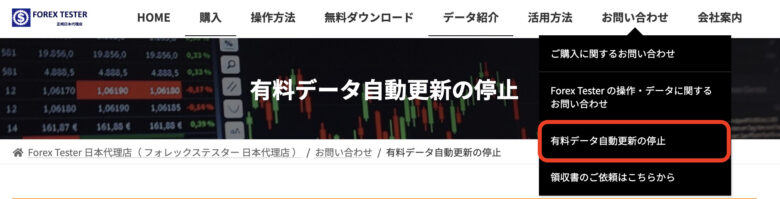
1. Open the Japanese Distributor Site and Tap “Paid Data Auto-Renewal Cancellation” from “Contact”
From the top menu of the Forex Tester Japanese Distributor Site, tap “Contact” → “Paid Data Auto-Renewal Cancellation”.
2. Tap “Paid Data Auto-Renewal/Billing Cancellation Request”
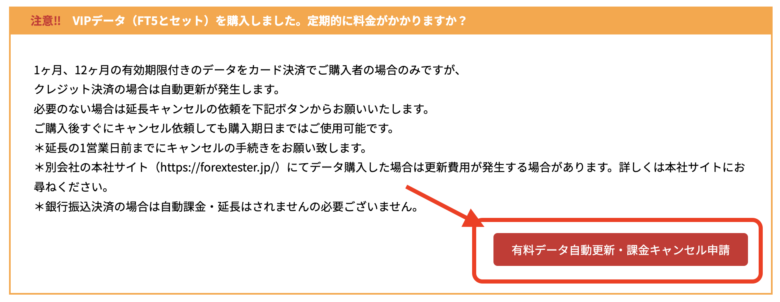
After the page transitions, you’ll find the “Paid Data Auto-Renewal/Billing Cancellation Request” button in the lower right corner. Tap it.
3. Fill in the Required Information in the Cancellation Request Form
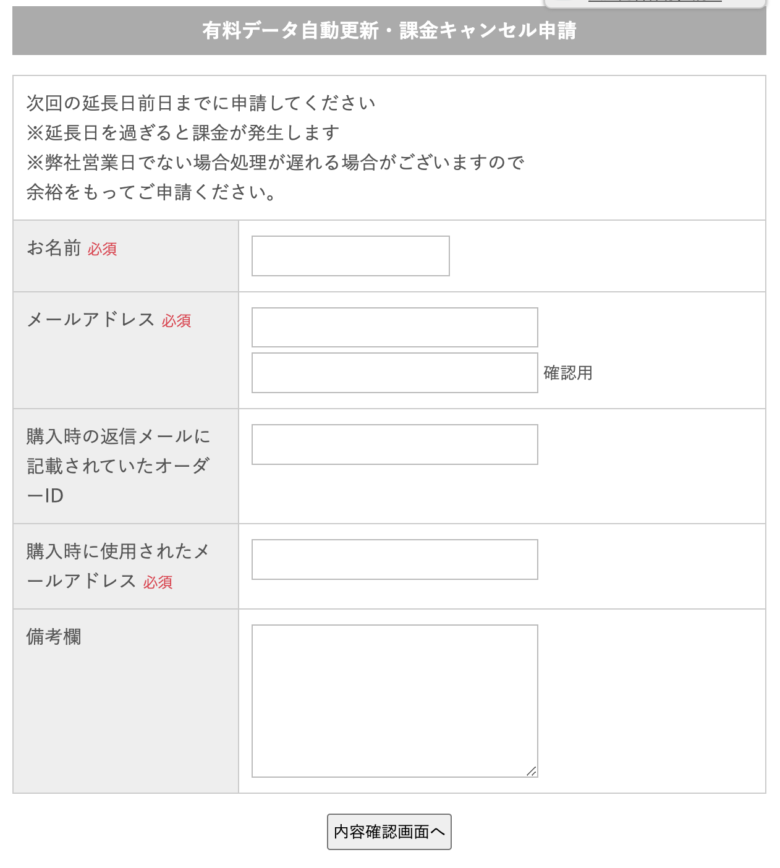
Enter the required information, confirm the details, and submit. If you have your Order ID, they can process your request faster, so if you’ve kept the purchase email, check it and enter the ID.
4. Cancellation is Complete When You Receive a Response Email
After submitting, wait for the cancellation email from the Japanese distributor.
2.2. How to Cancel Through the Official Site
The process to cancel through the official site is as follows:
1. Compose an Email to Forex Tester Official Support
Send an email to Forex Tester official support (support@forextester.com).
2. Write Your Information in the Email and Send
In your email, indicate that you wish to cancel the data purchase service. If you find it troublesome to write your own message, copy and paste the following, replacing the information with your own before sending.
Subject:
Paid Data Auto-Renewal/Billing Cancellation Request
Body:
To: Forex Tester Official Support
Thank you for your continued service.
I would like to request cancellation of the paid data auto-renewal/billing.
Contract details are as follows:
Name: 〇〇〇〇
Email address at purchase: □□□□
Order ID: △△△△
Thank you for your assistance.
3. Cancellation is Complete When You Receive a Response Email
After submitting, wait for the cancellation email from Forex Tester official.
ForexTester5 Refund Guarantee Conditions | Unconditional OK Within 30 Days
Forex Tester comes with a refund guarantee that allows you to receive an unconditional refund within 30 days. If you try it and feel “this isn’t what I expected…” or “it doesn’t have the features I wanted,” you can request a refund within 30 days of purchase and get your money back.
As with cancellation, you need to submit your refund request to the site where you made your purchase.
Be careful not to submit your request to the wrong site.
Steps to Request a Refund from the Japanese Distributor
The steps to request a refund from the Japanese distributor are as follows:
1. Open the Japanese Distributor Site and Scroll to “Contact Form”
After opening the Japanese distributor site, scroll to the “Contact Form” at the bottom of the page.
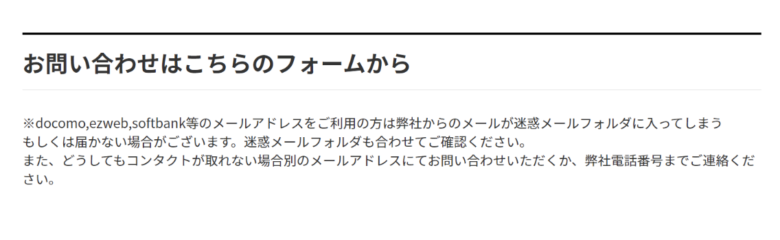
2. Fill in the Required Information
Enter your name, current email address, and email address used at purchase.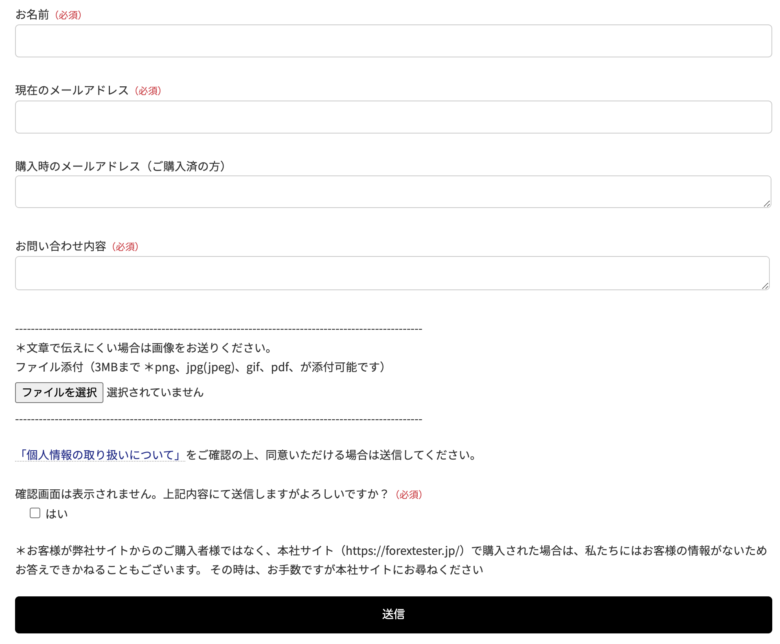
3. Write Your Refund Request in the Inquiry Field and Submit
Write your refund request in the inquiry field and submit. If you’re unsure what to write, refer to the example below.
The reason for the refund request is 〇〇.
For the refund reason, write something like the following and they will process it without issue:
4. Complete When You Receive a Response Email
After submitting, wait for the refund response email from Forex Tester official.
Steps to Request a Refund from the Official Site
The steps to request a refund from the Forex Tester official site are as follows:
1. Tap “Refund Conditions” from the Official Site
Open the FT5 official site and scroll to the middle section where you’ll find “Forex Tester Purchase Guarantee and Bonus.” Tap “Refund Conditions” below that section.
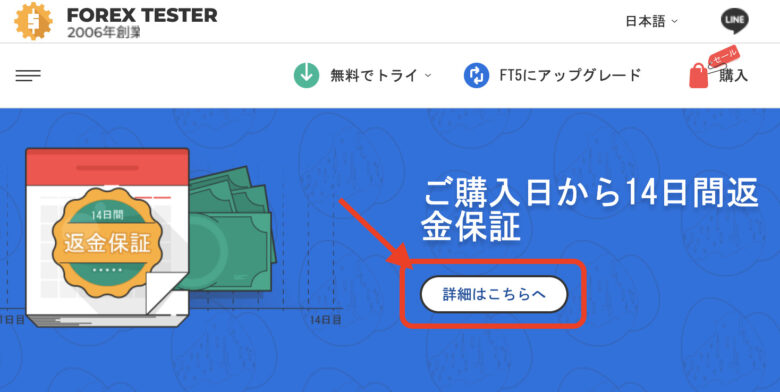
2. Tap “this link” in the Middle of the Popup Text
When you tap “Details here,” a popup appears. Tap “this link” in the middle of the text.
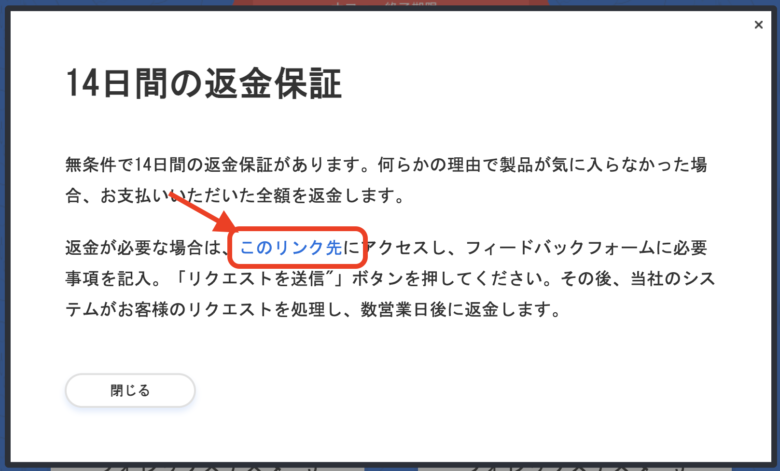
3. Fill in the Required Fields When the Refund Request Screen Appears
Fill in the required fields for the refund request.
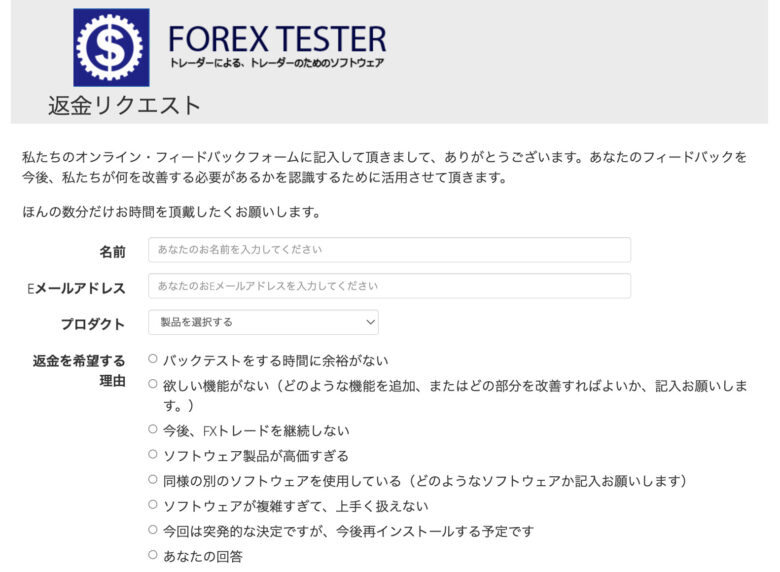
If you have any suggestions for improvement, include them and tap “Submit Request.”
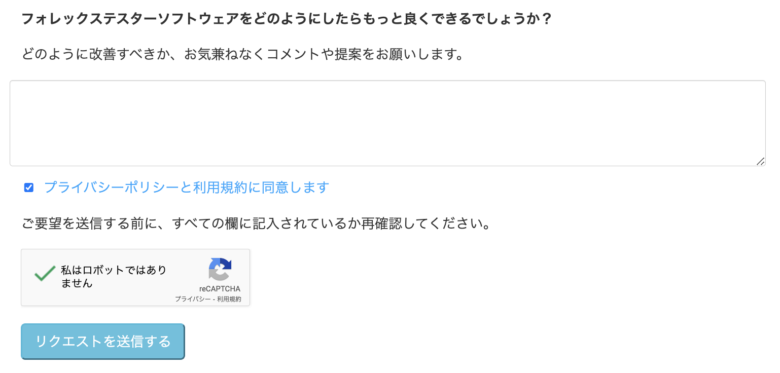
4. Complete When You Receive a Response Email
After submitting, wait for the refund response email from Forex Tester official.
Frequently Asked Questions About Forex Tester Cancellation
How long can I use Forex Tester after cancellation?
Even if you cancel immediately after purchase, you can use it until the end of your paid period.
Is there a way to stop monthly/annual auto-renewal?
If you pay by bank transfer, monthly/annual payments are not automatically charged.
Auto-renewal only applies to credit card payments, so if you’re uncomfortable with auto-renewal, choose bank transfer.